The paddle tracker for SUP & kayak
Record every session with GPS, check wave and wind forecasts before you launch, and find new spots — on iPhone and Apple Watch.

Free to download · iPhone & Apple Watch
- SUP + KayakBuilt for both
- iPhone + WatchTrack from your wrist
- Free to startOptional Pro upgrade
- PrivateOn-device, your iCloud
Features
Everything a paddler needs. Nothing they don’t.
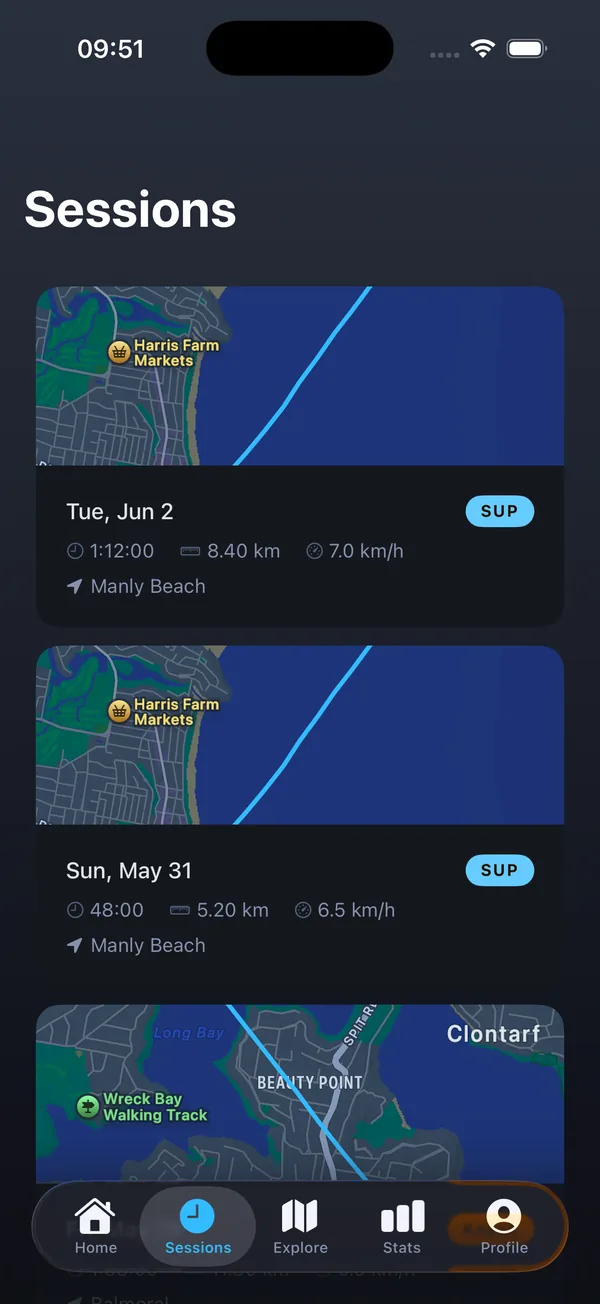
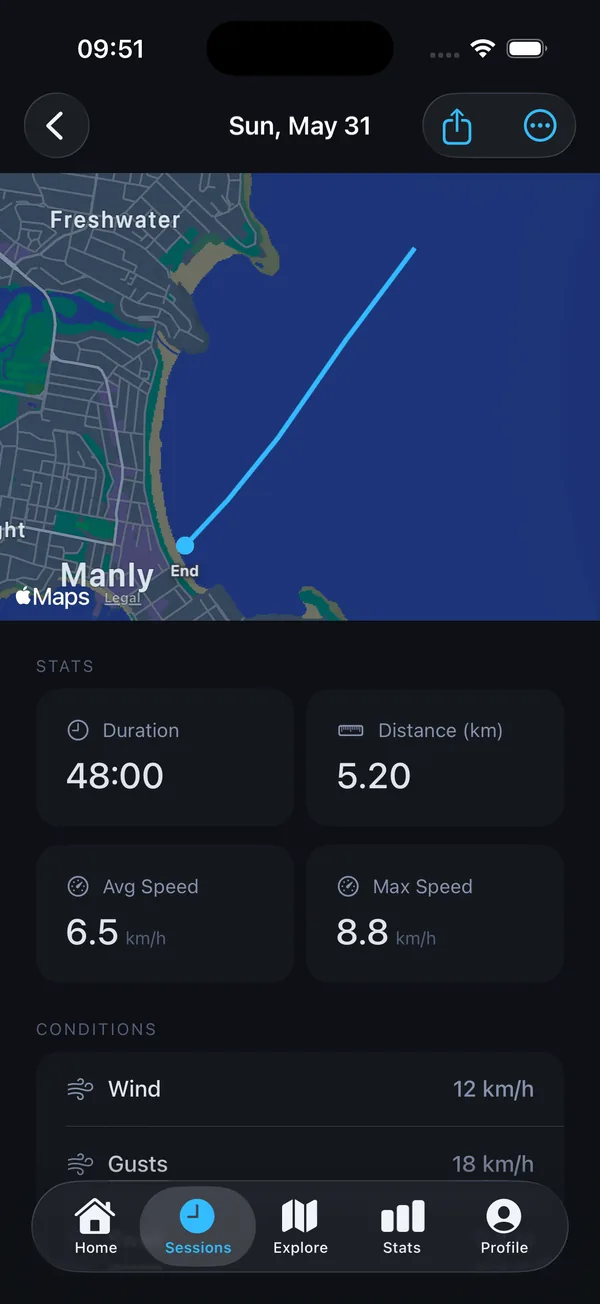
GPS Tracking
Every paddle, perfectly recorded.
- Full GPS route map for every session
- Distance, duration, avg speed, and max speed
- Photos from your camera roll linked automatically
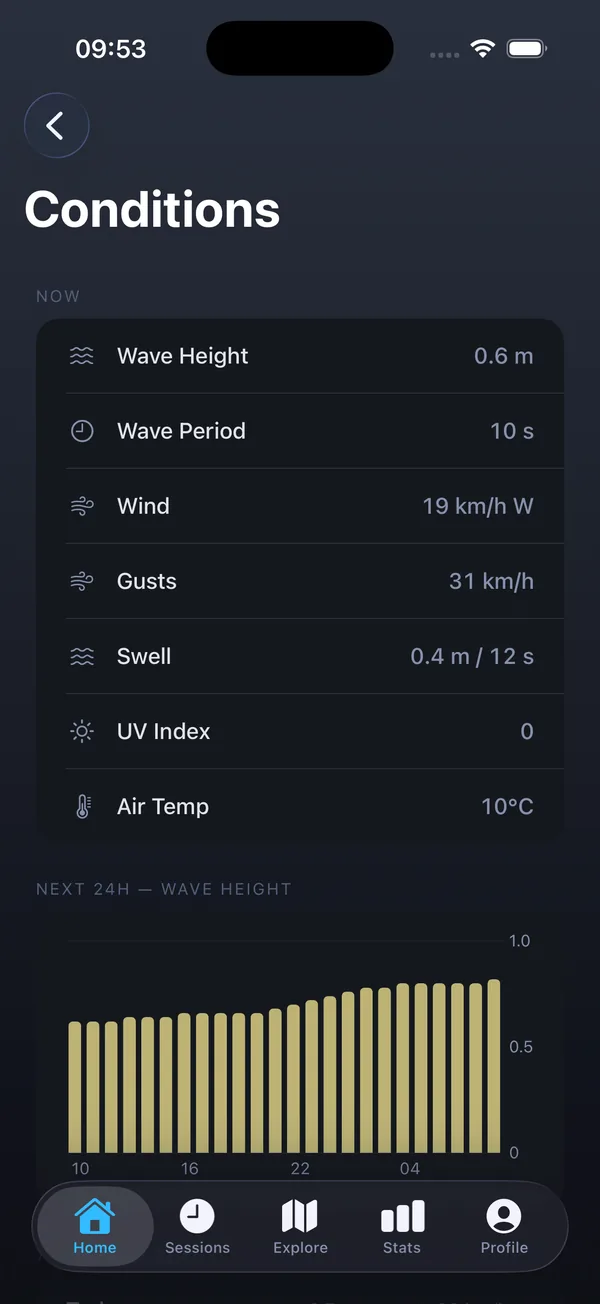
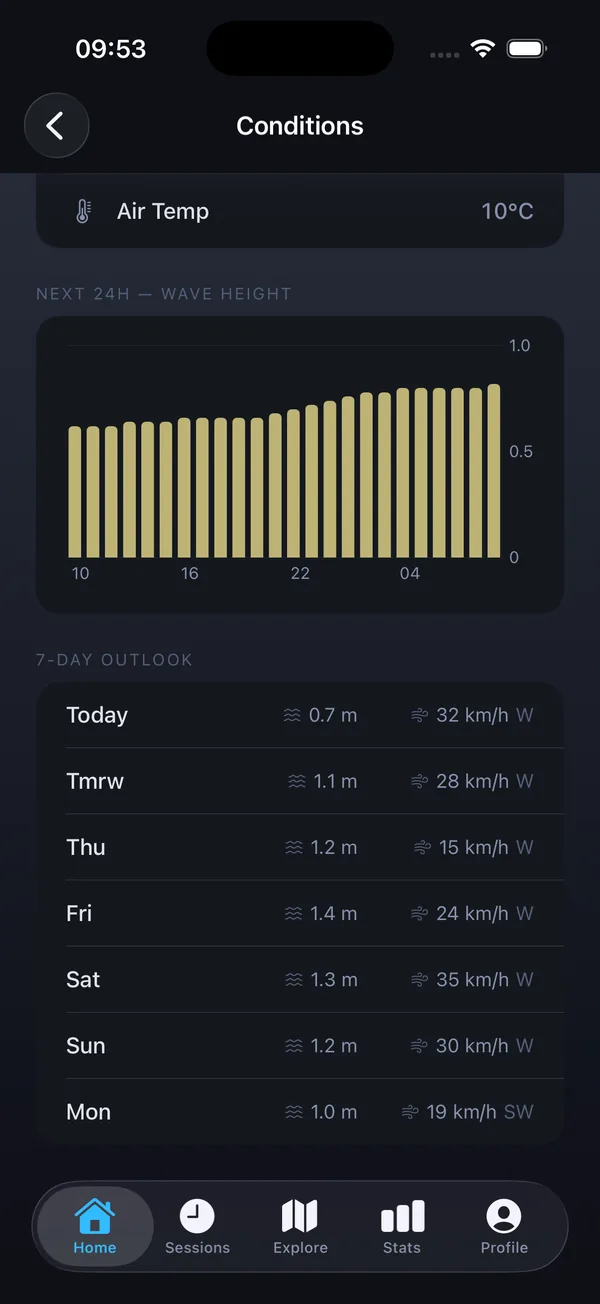
Marine Forecast
Know before you go.
- Wave height, period, and swell for your location
- Wind speed, gusts, and direction
- Hourly wave chart and 7-day outlook
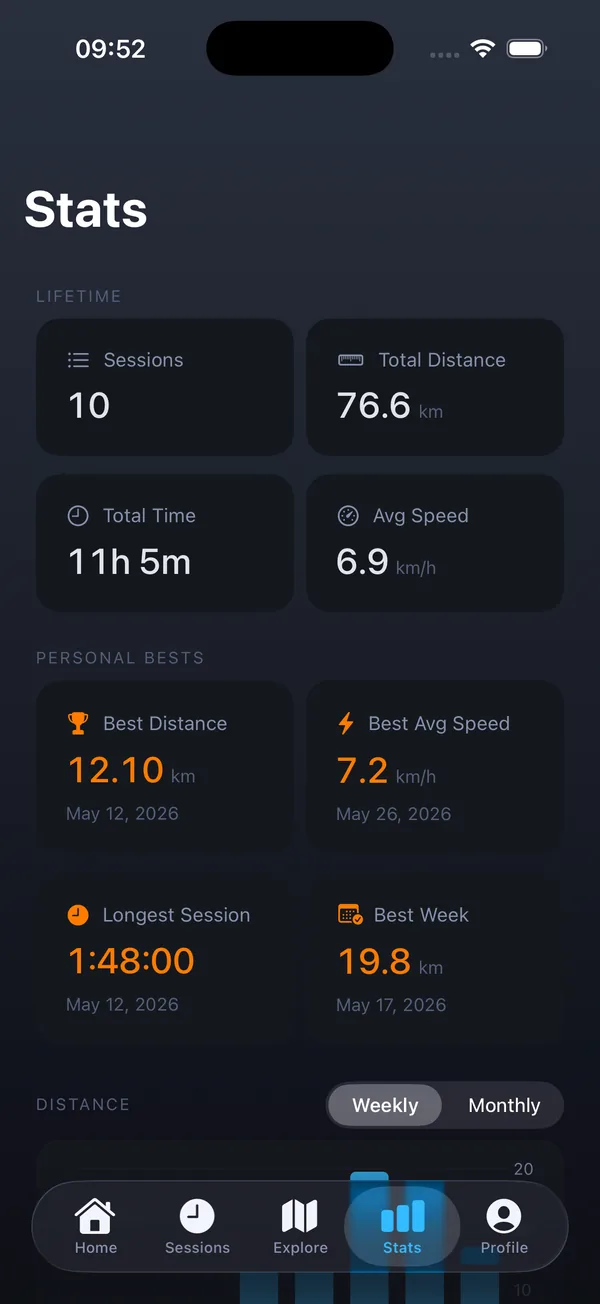
Stats & Personal Bests
See how far you've come.
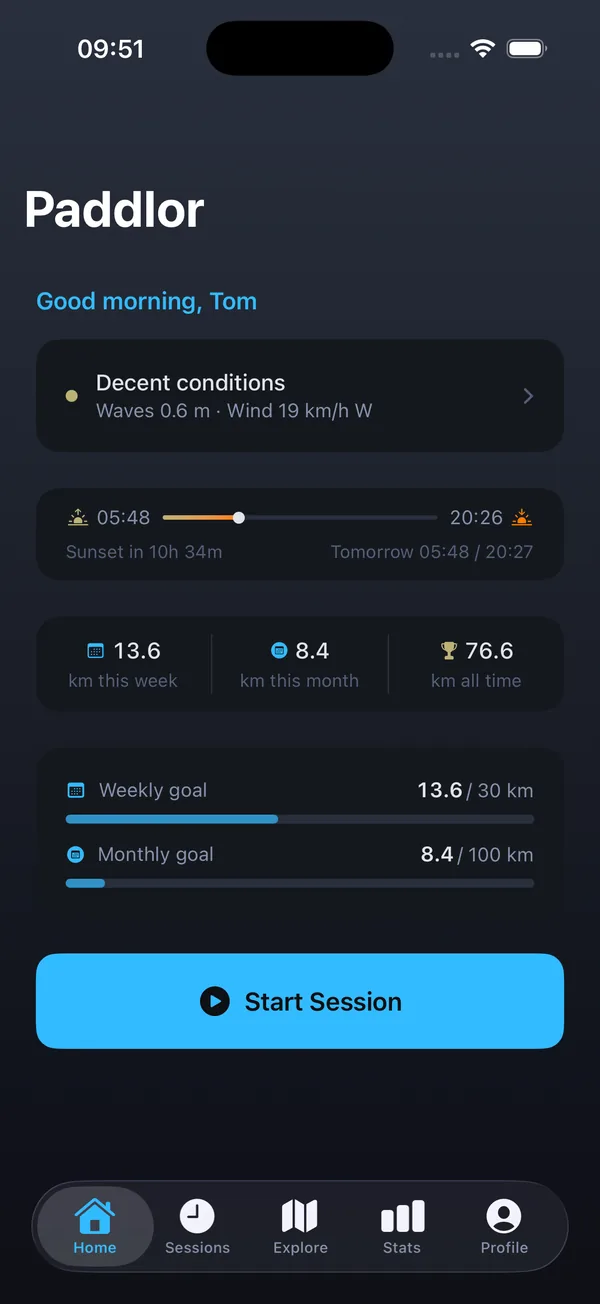
- Lifetime distance, time, and session count
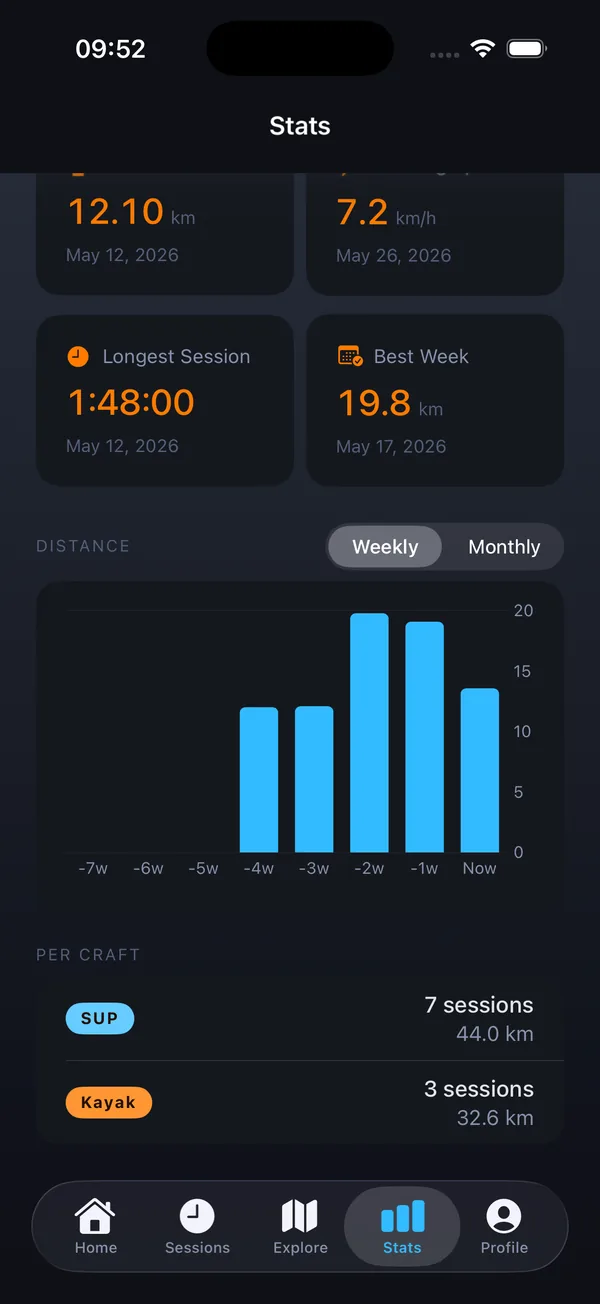
- Personal bests for distance, speed, and duration
- Weekly and monthly distance charts
GPS route tracking
Every paddle recorded on a map with distance, duration, average and max speed.
Marine forecast
Wave height, swell period, wind and gusts for your spot — before you leave the house.
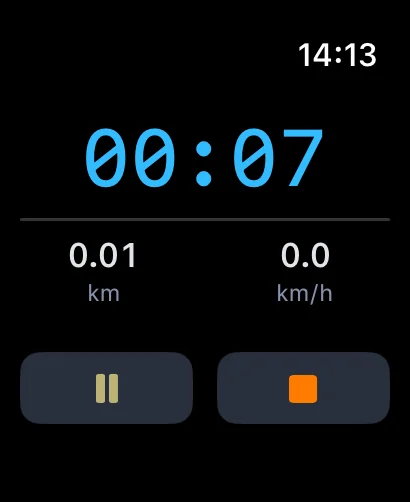
Apple Watch app
Start, pause and stop from your wrist. The Watch tracks GPS on its own.
Community spots
Find launch spots shared by paddlers, with craft tags and difficulty.
Your quiver
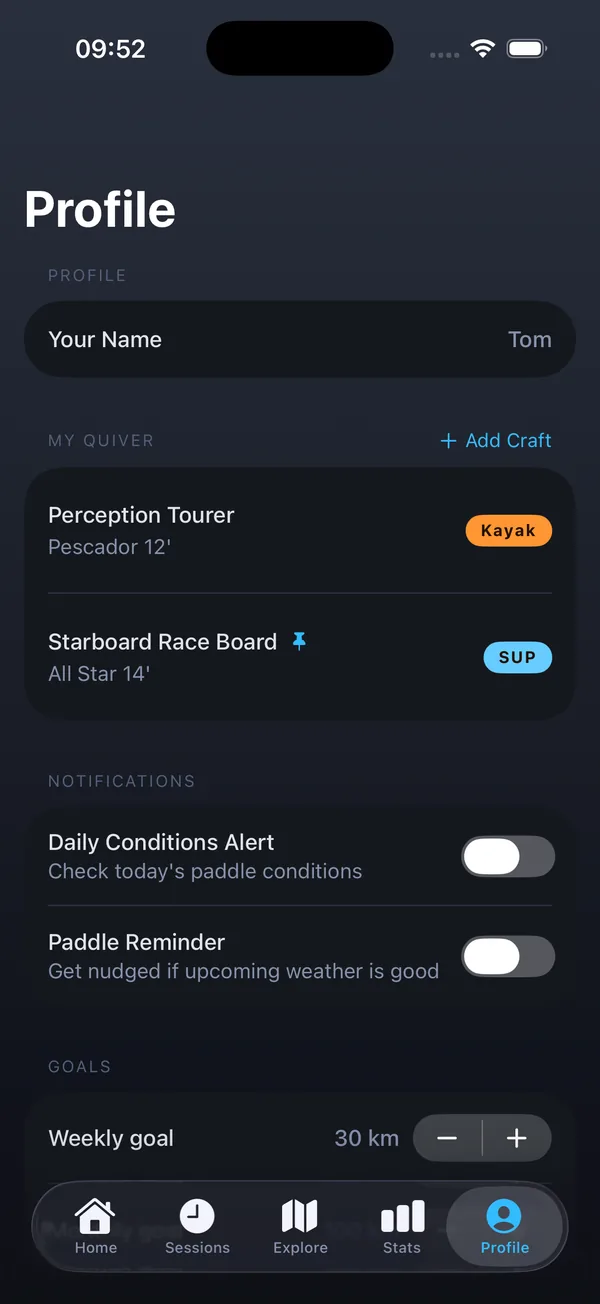
Keep every board and kayak you own, and see stats for each one.
Personal bests
Longest paddle, fastest speed, best week — all tracked automatically.
Goals
Set weekly and monthly distance goals and watch the progress bar fill.
Private iCloud sync
Sessions live on your device and sync through your own iCloud account.
Inside the app
A closer look
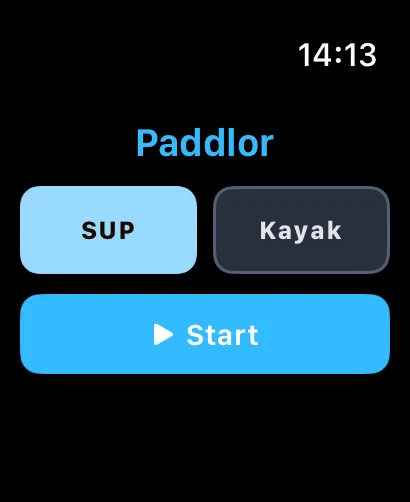
Apple Watch
Leave the phone in the dry bag.
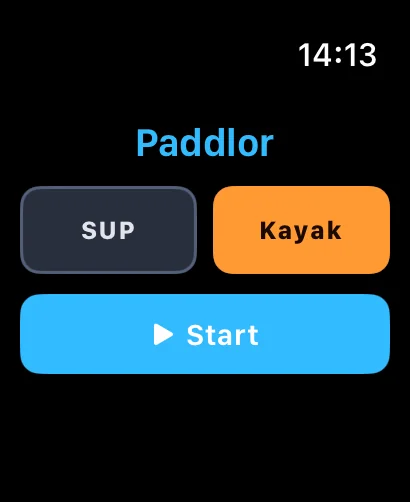
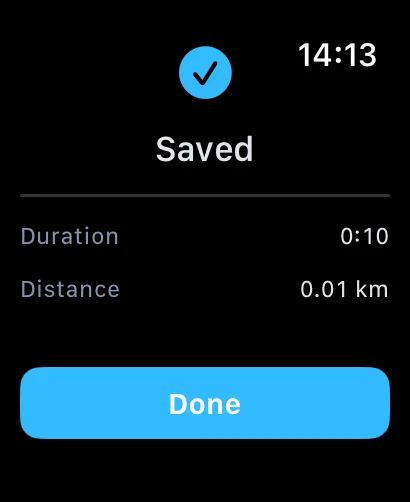
Pick SUP or Kayak, tap Start and paddle. Paddlor on Apple Watch records GPS by itself, and your session syncs to your iPhone when you’re done.
- Start, pause and stop from your wrist
- Live time, distance and speed
- Automatic sync to iPhone
Free & Pro
Start free. Go Pro when you’re hooked.
Free
- Record sessions with GPS route, distance and speed
- Latest 10 sessions in your history
- 24-hour wave and wind forecast
- Lifetime stats
- Up to 2 boards or kayaks in your quiver
- Apple Watch app
- Private iCloud sync
Pro
- Everything in Free
- Full session history
- 7-day marine forecast
- Personal bests, distance charts and per-craft stats
- Distance goals
- Add and contribute community spots
- Unlimited quiver
- Session photos and home screen widgets
Pro is an optional subscription managed through the App Store. See pricing in the app.
Built for how you paddle
New to paddle tech? Read our paddling guides.
FAQ
Questions, answered
What is Paddlor?
Paddlor is a paddle sports tracking app for SUP (stand-up paddleboard) and kayak paddlers. It records your GPS route, distance, speed and duration, shows marine forecasts for your location, and keeps a log of every session on iPhone and Apple Watch.
Is Paddlor free?
Paddlor is free to download and you can record sessions with GPS tracking for free. The free version includes your latest 10 sessions, a 24-hour forecast, lifetime stats and the Apple Watch app. An optional Pro subscription adds full session history, the 7-day forecast, personal bests and charts, distance goals, community spots, an unlimited quiver, session photos and widgets.
Does Paddlor work on Apple Watch?
Yes. You can start, pause and stop a session from your wrist. The Watch records GPS on its own, and your session syncs to your iPhone automatically when you finish.
Can I use Paddlor for both SUP and kayaking?
Yes. Choose SUP or Kayak at the start of each session, and keep a quiver of your boards and kayaks to see stats for each one.
What does the marine forecast show?
Wave height, swell period, wind speed, gusts and wind direction for your location, with an hourly chart and a 7-day outlook for Pro users. Forecast data comes from Open-Meteo.
Where is my data stored?
Your sessions are stored on your device and can sync privately through your own iCloud account. Read the privacy policy for the full details.
Which devices does Paddlor need?
Paddlor needs an iPhone running iOS 17 or later. The optional Apple Watch app needs watchOS 10 or later.
More help on the support page.
Our sister app
Paddle on the surface. Dive below.
Fathom: Freedive is a freediving training app for iPhone, from the same crew and with the same look and feel — CO₂ and O₂ tables, guided breathwork, a dive log and personal bests. Use either app on its own, or both if you paddle and dive.
Explore Fathom at fathomfreedive.appReady to paddle smarter?
Paddlor is free on the App Store.